World of Warcraft Player Housing: Your Complete Guide to Making Azeroth Home
20 min read
Twenty years. That's how long we've been asking for this. And honestly? It was sooo worth the wait!
Player housing dropped with the Midnight expansion, and it's not what most of us expected. This isn't some half-baked garrison rehash that'll get abandoned next expansion. Blizzard actually built housing as a permanent, account-wide system with real staying power. They're committed to supporting it through the entire Worldsoul Saga and beyond—which, if you've been playing long enough to remember garrisons, you know is saying something.

You can finally build that trophy room you've been dreaming about since Vanilla. Line the walls with raid boss heads, create a cozy Night Elf garden that'd make Tyrande jealous, or just throw together whatever chaotic mess speaks to your soul. The system handles both extremes pretty well - casual decorators who just want a nice-looking space and the absolute perfectionists who'll spend months getting every angle perfect.
This guide walks through everything from claiming your first plot to maxing out your decoration game. Let's get into it.
Getting Your First House
What You Actually Need
Housing went live December 2, 2025 with Patch 11.2.7. You need to pre-order Midnight to claim a plot right now. If you're waiting for the full launch on March 2, 2026, you can still farm decor items in the meantime—they'll be sitting in your collection waiting for you.
The housing cost is very affordable, only 1,000 gold. That's it. There's no lottery system where you're competing with server-first guilds, no bidding wars that price out casual players, no monthly maintenance fees that punish you for taking a break. Blizzard looked at how other MMOs botched their housing launches and actually learned something.

The Tutorial Quest
Once you're eligible, you'll automatically get "A House For You" quest when you log in. The whole quest chain takes maybe fifteen minutes—it's pretty painless. You'll pick a neighborhood, claim your plot, learn the basic decoration controls and then you're off to the races.
Brand new players who own Midnight have to finish the tutorial on the boat first. After that, you can either keep going with the regular New Player Experience or jump straight into housing. Most people hit up housing first since it's brand new content that everyone's been eagerly waiting for.
How to Get There
Patch 11.2.7 reorganized the portal rooms in Stormwind and Orgrimmar. Housing portals are now front and center because of course they are. Alliance heads to Founder's Point, Horde goes to Razorwind Shores.

After you've claimed your house, there's a Housing Dashboard you can pull up instantly—new house icon in your mini-menu, or you can bind it to whatever key you want. The hearthstone button takes you straight home. If you're one of those people with houses in both faction neighborhoods (we'll get to that), there's a dropdown to pick which one you're teleporting to. It defaults to whichever one you visited last, which is handy.
Everything is Tied to Warbands
Wow housing is completely account-wide through the Warband system. Any character you've got can walk into your houses, contribute to your decor collection, and benefit from your progression. Your rogue loots a sick decoration in Blackrock Depths? Cool, your paladin can place it. Your warrior claims a plot? Your mage can redecorate the whole thing.
The design philosophy here is pretty clear—your house becomes this evolving record of everything you've done across your entire account. It's not locked to one character's story. For people with serious alt armies, this is probably the best feature Blizzard's added in years.

Understanding Neighborhoods
So neighborhoods aren't private instances, instead they're persistent public zones where you claim a plot surrounded by other players doing their thing. Each neighborhood holds about 50 plots per instance, and the game creates new instances automatically as they fill up. You'll always find a spot.
Founder's Point (Alliance)
Founder's Point is pure Alliance nostalgia. Think Elwynn Forest vibes—rolling green hills, classic Stormwind architecture, with some Westfall farmland and Duskwood's darker forests mixed in. The zone's got multiple biomes, so you're not stuck with one look. Want your house near the woods? Done. Prefer farmland? Got it. Looking for something moodier? There are darker forested areas too.
The main square's got all your vendors, crafting stations, and NPCs with housing quests. If you leveled Alliance-side, walking into Founder's Point hits different—it's familiar without being a straight copy-paste of existing zones.

Razorwind Shores (Horde)
Razorwind Shores mashes up Durotar's rugged coastline with Azshara's dramatic cliffs and chunks of the Barrens. Red earth everywhere (very on-brand), but there are also lush tropical spots with beaches similar to the Echo Isles. Same amenities as Founder's Point—vendors, services, quest givers—just warmer colors and more spikes on everything.

Cross-Faction Ownership
Here's something cool: you can own property in either neighborhood regardless of your character's faction. Alliance can buy in Razorwind Shores, Horde can settle in Founder's Point. NPCs might give you some mild surprised commentary, but there's zero hostility or restriction. The purchase has to be made by a matching-faction character, but once it's yours, any Warband character can visit.
Each Warband gets up to two houses—one in each neighborhood. Relocating costs 1,000 gold if you change your mind about a plot's location. No pressure to nail it on your first try.

Claiming Your Plot
The House Finder in your dashboard lets you browse different neighborhood instances and check which plots are occupied. Gold icons mark the vacant ones. When you find one you like, you can reserve it for four minutes, enough time to walk around, check the sight lines, scope out your future neighbors and make sure you're actually happy with the spot.
If you want to move later, you can relinquish your house whenever. Your house's entire state gets saved, ready to "unpack" when you buy a new plot. There's even a brief regret timer that lets you move back in if you immediately change your mind before buying somewhere else. It's a surprisingly forgiving system.
Neighborhood Types

Public Neighborhoods
Public neighborhoods are created and maintained by the game servers automatically. Anyone can buy in, and as instances fill up, new ones spawn. The game handles naming, organizing community events (called Endeavors), and general upkeep.
This is the default for most players. Works great if you want a casual experience or enjoy meeting randos organically.
Private Neighborhoods
Private neighborhoods give you control over your housing community. Two flavors here.
Guild Neighborhoods are tied to guild membership. If your guild's got at least 10 active members (logged in within the past 30 days), an officer can talk to the housing steward and create one. Only guildmates can purchase plots, creating an actual guild town. If your guild exceeds 55 members, you can expand with linked instances. Leave the guild? You lose your plot in that neighborhood.
Charter Neighborhoods work for friend groups, RP circles, or any group that wants privacy regardless of guild status. Buy a charter from the steward, name your neighborhood, gather 10 signatures from different player accounts. The charter leader and designated managers can invite or boot members whenever. Charter neighborhoods cap at 50 plots max.
Both private types need a minimum number of active players to stay alive—prevents ghost towns from eating server resources. Private neighborhoods weren't available during Early Access but should arrive with Midnight's full launch or shortly after.
Privacy Controls
No matter which neighborhood type you're in, you control access to your property. Your plot (yard) and house interior have separate permission settings. You can configure them for friends, guildmates, neighbors or literally anyone. Let visitors walk around your yard but lock the house interior to friends only. Close everything off if you want. Change settings whenever—if you toggle permissions, anyone who loses access gets gently booted out.
Exterior Customization

House Styles
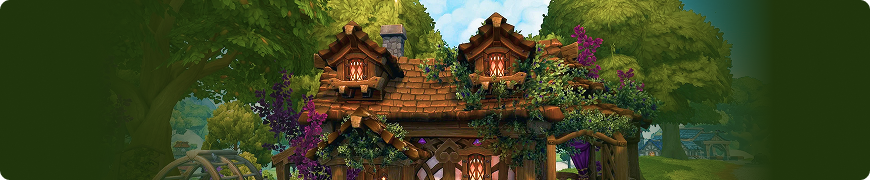
Launch gives you four base exterior styles, split by faction. Alliance picks between Human and Night Elf aesthetics. Horde chooses Orc or Blood Elf. Each style brings its own architectural language and cultural details. Human and Night Elf kits only work in Founder's Point. Orc and Blood Elf kits only work in Razorwind Shores.
Blizzard's said they'll add more exterior options as the expansion rolls on. Probably a safe bet we'll see Forsaken, Tauren, Draenei, and other race-specific kits eventually.
Structural Options
After picking a base style, you can customize pretty extensively. Siding material changes wall appearance—there are additional options like "Cottage" you can collect. Roof type and color give you multiple profile shapes and six color choices. Entryway style options all come in every roof color. Window shapes let you pick different designs for ground-floor windows.
Fixtures are where it gets fun. Add dormers (Alliance only for some reason), towers, chimneys, balconies, and other architectural elements to specific attachment points on your house. As your housing level increases, you unlock upgrades from small to medium to eventually large exteriors. This affects your neighborhood presence but doesn't limit your actual interior space.
Yards and Outdoor Spaces

Every plot includes a yard with its own decoration budget—starts at 200 points, increases as you level. You've got full freedom to place outdoor decor anywhere on your plot's terrain. Fences, trees, gazebos, fountains, market stalls, whatever.
Lots of interior furniture also works outdoors. Want a full alfresco dining setup? Tables and chairs place just fine in yards. The outdoor-only restrictions mainly apply to large structural pieces like gazebos, wells, and windmills.
Interior Customization
The TARDIS Effect
Your interior size and layout are completely divorced from your exterior footprint. Blizzard explicitly designed homes to be "bigger on the inside." A small shack exterior can hide a multi-story mansion interior. This keeps exterior plot sizes fair while letting your creativity (or obsessiveness) determine how grand or compact your space feels.
Edit Mode

You have to enter Edit Mode to make changes. Once you're in, there are several sub-modes.
Decorate Mode handles basic furniture placement. Storage window shows all your decor with filters and search. Click an item, place it. Default behavior snaps items to appropriate surfaces—rugs lay flat, paintings align to walls, furniture respects collision.
Advanced Mode removes all the guardrails. Full rotation on any axis. Scale adjustment—resize items larger or smaller. Free height placement including floating objects. Clipping control for layering items through each other. Coordinate-based positioning for pixel-perfect placement. This is where housing gets genuinely creative. Players are already building floating structures, optical illusions, setups that look physically impossible.
Customize Mode lets you change structural elements per room: wall textures, flooring materials, ceiling styles. You can mix and match freely. Gilnean mahogany floors with Pandaren paper walls and druidic ivy ceilings? Go for it. This mode also handles the dye system for recoloring decor items.
Cleanup Mode provides quick removal. Click any item and it returns to storage instantly. Useful for clearing space to try new layouts.
The Dye System
Lots of decor items—especially stuff added with Midnight—support recoloring through Dye Traders in your neighborhood hub. Items often have multiple dyeable components. A chair might let you change fabric color separately from wood stain. Makes matching entire room color schemes way easier instead of being stuck with default palettes.
Dyes are crafted by Alchemy and Inscription professions, which gives those crafts another relevant gold-making avenue.
Floorplan Editing
Hit the Edit Floorplan button to see an aerial view of your current layout and available expansion points. You build interiors using modular room pieces: small/medium/large squares, rectangles, L-shapes, circular rooms, octagonal layouts. Some rooms have different lighting—Daylight Circle floods everything with natural light, Evening Circle creates dimmer, cozier vibes.
You can add multiple floors using stairwell room options. Build tower-style homes or full multi-story mansions. Partition walls let you subdivide larger rooms into custom spaces like hallways or nooks without rebuilding everything.
Each room uses part of your Room Placement Budget. Early levels keep this pretty modest. Higher housing levels dramatically expand your options. Removing or replacing rooms doesn't destroy the decor inside—it stays saved, which is a massive quality-of-life win.
The Decor Collection System
Item Ranks

Every decor item falls into one of three ranks, which determines how you acquire it.
Commodities are common foundational pieces. Basic chairs, plants, simple furnishings. They're stackable, tradeable, available from vendors, professions, or the Auction House. Your bread and butter.
Investments are rarer thematic pieces that often include visual or audio effects—glowing fountains, animated magical books, that kind of thing. These are account-wide unlocks from one-time sources like quests or achievements. Once unlocked, you can buy additional copies from vendors.
Trophies are prestige decorations tied to difficult achievements, raids, or PvP milestones. Onyxia's mounted head, Mythic raid rewards, stuff like that. Also account-wide unlocks with vendor copies available afterward.
Where Decor Actually Comes From
Blizzard's core philosophy here: getting one piece should be accessible, completing the entire catalog should take serious dedication. Let's break down the sources.
- Quests across every expansion now reward decorations. If you already completed a quest, you automatically received its decor when housing launched. Additional copies are purchasable from specific vendors afterward. This retroactive reward system is honestly one of the best things Blizzard's done—it respects your time investment over the years.
- Achievements work similarly. Thousands of existing achievements now grant housing items. Exploration, professions, PvP, dungeons, raids, meta-achievements, Order Halls, Lorewalking, all of it. Everything you already completed is sitting in your collection. The achievement "More Dots (25 Player)" from Onyxia's Lair, for example, awards the "Head of the Broodmother" wall mount. Check your collection—you probably have way more stuff than you realize.
- Boss Drops guarantee their specific decor item every kill—100% drop rate. Makes farming predictable instead of RNG hell. Want that specific decoration from a raid boss? Kill it once, you're done.
- Professions contribute heavily. All non-gathering crafts can make housing items using expansion-specific recipes. Blacksmiths create metal furniture and fixtures. Tailors make rugs, banners, fabric items. Engineers build gadgets and lighting. Jewelcrafters craft stone objects and gem-studded decorations. Enchanters create magical objects. You get the idea. Recipes come from expansion-specific profession trainers.
- Lumber is a universal crafting reagent required for almost all housing items. Different expansion zones provide different lumber types—Ironwood from Kalimdor/Eastern Kingdoms, Bamboo from Pandaria, Fel-Touched from Broken Isles, etc. You'll need hundreds of each type to craft everything available. Stock up when you're farming old content.
- Vendors exist in every expansion zone selling themed decor. Payment varies—some want gold, others need Marks of Honor, War Resources, Timewarped Badges, or whatever currency that zone originally used. It's a good gold sink and gives old currencies renewed purpose.
- Reputation Vendors include housing items in their catalogs. If you maxed Zandalari rep years ago, you have instant access to their entire furniture line. Another retroactive reward that feels good.
- World Drops occasionally come from random mobs in specific zones. The drop rates aren't awful, but farming these is more about killing time in old zones than dedicated grinding.
- Seasonal Events rotate limited-time decor. Hallow's End, Winter Veil, Lunar Festival items return yearly. Miss something this year? You can grab it next time around.
- Cross-Faction Vendors—goblin "smugglers" in each hub—sell opposite-faction aesthetics. Alliance players can buy Horde furniture and vice versa. Nothing's truly faction-locked, which is a nice touch for people who want to mix styles.
Collection Management
Decor is Warbound but quantity-specific. Unlock a fence on your warrior and every character can use it—but if you want that fence in both neighborhoods, you need enough individual pieces for both yards.
The Decor Catalog in your Housing Dashboard tracks everything you've collected and what you're missing. Filters narrow results by source, theme, or category. This lets you farm content you actually enjoy instead of forcing yourself through activities you hate. Want to focus on raid boss drops? Cool, filter for those. Only interested in profession-crafted items? Go nuts.
Housing Progression
How Leveling Works
Your house has a level that functions like a Renown track. Collecting decor items and participating in housing activities earns experience toward the next level.
Each level unlocks tangible benefits: bigger decoration budgets, new room types and shapes, larger exterior house options, additional customization features, advanced decoration tools. Progression happens naturally through normal play—you're not grinding specific content unless you want to.
Neighborhood Favor
Neighborhood Favor is community-wide progression currency earned through Endeavors and collaborative activities. Higher Favor unlocks benefits for everyone in the neighborhood—potentially including new housing upgrades, expanded room budgets, neighborhood beautifications like decorative additions to shared spaces.
Neighbors who play together and participate actively help the whole community level faster. It's a nice incentive for actually engaging with your neighborhood instead of treating it like a solo instance.
Endeavors
Endeavors are monthly neighborhood-wide activities. They weren't available during Early Access but will arrive with Midnight's full launch. Each month brings a new Endeavor with opportunities to learn about various Azeroth factions and cultures through different tasks.
In private neighborhoods, leaders select from a curated list of available Endeavors. In public neighborhoods, the game automatically chooses which ones are active.
When an Endeavor hits its completion threshold, the neighborhood receives group rewards: additional Endeavor currency, increased Neighborhood Favor, access to the full catalog of decorations from visiting NPCs. The system's designed to support collaborative gameplay across varied schedules, so you're not locked into specific raid times or anything.
Advanced Decorating Techniques
Vertical Design
Advanced Mode lets you float items at different heights, creating layers that make rooms feel way fuller without destroying your budget. Stack books on invisible shelves. Hang decorations from nothing. Build multi-level displays that draw eyes upward. The vertical space in rooms is massive—most people ignore it completely.
Budget Management
Higher levels expand budgets, but limits always exist. Here's the thing: prioritize statement pieces. One dramatic chandelier or central fountain defines a room way more effectively than fifty minor decorations scattered everywhere. Quality over quantity actually applies here.
Don't be afraid to experiment. The catalog remembers everything you've unlocked, so removing items to try different layouts has zero penalty. Swap stuff around until it feels right.
Theme Consistency
Pick a direction before you start hoarding everything. "Trophy hall" versus "cozy inn" versus "library" versus "alchemist's workshop"—having a vision helps prioritize which decor actually matters to your build. You can pivot later, but focused collecting beats random accumulation every time.
That said, mixing aesthetics intentionally creates really interesting results. A Blood Elf scholar studying Night Elf culture might display Teldrassil elements in a Sin'dorei structure. Let your character's story guide your choices instead of feeling locked into one racial aesthetic.
Corner Optimization
Items tucked in corners add detail without dominating visual space. Fill dead spots with small decorations that catch attention without overwhelming the room. This is especially effective for creating that "lived-in" feeling versus the sterile showroom look.
Visitor Management
The Housing Dashboard's visitor tab controls access levels.
View Only: Visitors can walk around but can't interact with anything. Good for showing off your latest raid trophy without worrying about someone moving stuff.
Interior Decor Access: Friends can move furniture and adjust layouts inside. Useful for collaborative builds.
Exterior Decor Access: Visitors can work on gardens and outdoor areas. Great if you want help with yard work but don't want anyone touching your interior.
Full Edit: Complete access for trusted collaborators. Only give this to people you genuinely trust not to screw with your setup.
These permission levels support everything from casual trophy showing to building collaborative guild halls where multiple members contribute to shared spaces.
Recommended Addons
Musician adds a music player with WoW's entire soundtrack library. Set whatever mood you want for your space. It's surprisingly immersive.
HousingDecor Catalog organizes achievements that reward housing items with 3D previews. Makes collection planning significantly easier than parsing through achievement menus manually.
Instance Achievement Tracker reminds your group which achievements you still need when entering instances and tracks progress during fights. Invaluable for tackling difficult content tied to high-value decor rewards. Saves you from having to remember which achievements you're missing.
Profession Shopping List (works with Auctionator) helps track materials needed for crafting housing items across multiple professions. Essential if you're serious about profession-crafted decor.
Common Questions
Can I move my house after buying? Yeah, 1,000 gold flat rate no matter how many times you relocate. Your house state saves automatically and unpacks at the new location.
Do I lose progress switching neighborhoods? Nope. Collection and housing level carry across both. You can own one Alliance house and one Horde house simultaneously without any penalty.
What happens if I don't like my neighbors? Move. Relinquish your house, find a new plot in a different neighborhood instance, your saved house unpacks there. Problem solved.
Can I get banned for clipping items together? No. Blizzard expects creative use of Advanced Mode. Clipping items to create unique effects is intentional design. As long as you're not exploiting actual bugs or degrading server performance, you're fine. They want people to get creative.
How do I find specific decor items? The in-game Decor Catalog has search and filters. Community sites like WoW Housing Hub provide databases with sources, screenshots, location details. Between the two, you can track down pretty much anything.
What happens to my house if I unsub? Everything stays exactly how you left it. No repossession system, no decay mechanics, none of that nonsense. Return whenever you want and pick up where you left off.
Are certain professions better for housing? All crafting professions contribute. The question's more about which aesthetic you're pursuing. Blacksmithing for metal fixtures, Tailoring for fabric items, Engineering for gadgets. Nobody got left out of the system.
Can visitors watch me decorate in real-time? Yeah. Players with access can see changes as you make them, creating a live collaborative experience. Pretty cool for working on builds with friends.
Final Thoughts
Housing represents a significant shift for World of Warcraft. After two decades, players finally have spaces that feel genuinely personal and permanent. The system accommodates both quick casual builds and months-long perfectionist projects without making either feel wrong.
Start simple. Buy your first house, place some favorite items, let it evolve naturally as you play. Don't stress about creating the perfect design immediately - housing grows with you over time as you collect more decor and unlock higher levels. The people with the most impressive houses didn't build them overnight.
The best decorations come from actually playing the game - raid boss trophies, achievement rewards, reputation unlocks, profession crafting. Your house becomes a visual record of everything you've accomplished across Azeroth. That Onyxia head on your wall? You earned that.
If you're looking to fast-track your collection, KingBoost is here to help. Our achievement boost services unlock housing rewards tied to difficult content - Glory metas, raid clears, PvP milestones and more. We also offer reputation grinding for faction-specific furniture lines and profession leveling if you want to craft your own decor. Skip the grind and fill your house with the stuff that makes it feel like your second home.